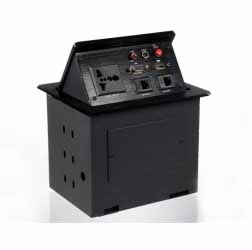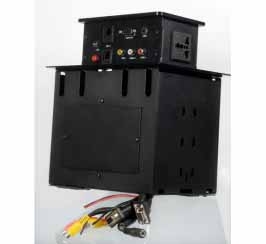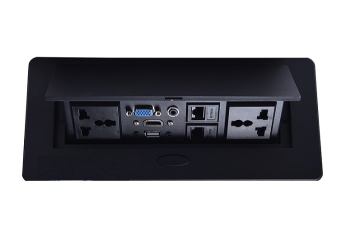



Anchor ANDTAM151 Desktop Plug Motorized Socket


Anchor Desktop Plug Motorized Socket,425x120mm, Aluminium, Voltage-AC110-220V
PRODUCT OVERVIEW
Anchor Desktop Plug Motorized Socket,425x120mm, Aluminium, Voltage-AC110-220V
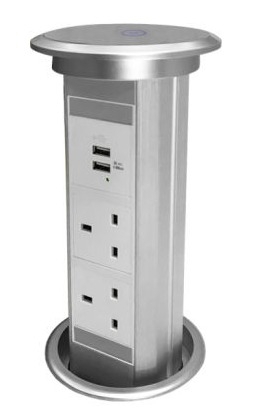
Motorized Pop Up power point socket is an automatic motorized electrical outlet variation of the standard SINOAMIGO range of pop up units. This unit is able to automatically extract out of any desktop top surface, or kitchen benchtop by the press of a button on the lid. Once the unit is closed, it provides a seal against water or spills that may occur around the lid.
Stylish, innovative, and accessible power access designed to meet societies growing need for readily available power and data.
Motorised Pop-Up PowerPoints feature two Outlets, and one USB Charging outlets as standard to allow users to easily charge their portable devices with little hesitation. Small portable electronic devices that use USB to charge, such as iPhones, Android phones, iPods, MP3 Players, and digital cameras… can charge directly from the unit without any external transformer - designed for added convenience.
The ability for Popup Power sockets to easily hide away from a simple push down, or to be extracted from a simple pull up, means they can suit most environments without being in the way of other appliances. It also allows them to look stylish, and be hidden away when they don't need to be used. Installation on tabletop locations, allows power to be provided where it is needed most, from kitchen appliances to laptop computers, all commonly used on bench-top locations.
Product Information:
Colour: Silver
Material: Refined Hardened Scratch-Resistive PVC Plastic
Installation Hole Size: 100-105mm Diameter [102mm for best fit]
Space required below the surface: 290mm from the top of the surface, 100mm in diameter
Cable Length: Customized
Installation Instructions:
1. Hole size in the desired surface for installation is required. Check the model to determine the hole size requirement. Ensure there is enough space under your installation surface, so the unit can fall freely into its hole and sit flush. Check above for model specifications.
2. Unscrew the mounting ring, feed the cable through the mounting hole, then place the unit in the hole.
3. Re-attach the mounting ring and tighten the unit to the surface. Plug the power cable into a powerpoint.
4. The unit is ready to use!
| Product Name | Anchor ANDTAM151 Desktop Plug Motorized Socket |
|---|---|
| Weight | 0.453592 |
| Manufacturer | Anchor |
| Color | White |
| Country of Origin | United Arab Emirates |
Product Datasheet